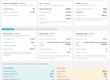
Process Monitor is the built-in PeopleSoft tool administrators use to track the status of scheduled jobs. CIOs who only measure success or failure are missing where the real risk lives.
For most CIOs and ERP leaders, ERP reliability conversations center on uptime, integrations and transaction throughput. Those are the visible risks. They show up on a dashboard the moment something breaks.
But in my experience working across large PeopleSoft ERP environments, a quieter category of risk lives one layer below that dashboard: scheduled batch execution. Payroll runs, financial close jobs, benefits processing, compliance extracts, integrations, billing cycles and overnight operational jobs all depend on a scheduler most executives never think about. They usually notice it only when it fails them.
This is not a legacy-system footnote. Oracle recently extended its rolling support commitment for PeopleSoft through at least 2037, reaffirming that large organizations across HR, finance and other core operations will continue running mission-critical work on the platform for years to come.
That is not just a vendor roadmap story. It is also backed by customer behavior. Quest Oracle Community’s 2025 PeopleSoft Community Survey, an independent global PeopleSoft user-group survey of more than 1,400 organizations, found that more than 40% of respondents are actively investing in, modernizing and extending their PeopleSoft environments rather than planning to walk away from them.
That makes the batch layer underneath PeopleSoft a long-term risk surface CIOs need to plan around. It is not a temporary problem they can wait out.
When these jobs run correctly, nobody notices. When they run late, sit queued, run abnormally long or quietly fail to start at all, the impact can move quickly. What begins as a technical backlog can become a business problem before anyone in IT is even aware something is wrong.
The problem isn’t just failure. It’s silent success
I call this the silent success problem. It describes how a scheduled process can technically reach a “success” status while still failing the operational expectation it was meant to protect.
A payroll validation job can complete successfully, but three hours later than needed. By then, a required data exchange may have already missed its window.
A financial close process can also finish “successfully” after starting later than planned. The result may still be delayed reconciliation, delayed reporting and downstream pressure on finance teams.
A recurring integration job can simply never fire. Because nothing technically failed, no failure alert fires. The first sign of trouble may be a functional team asking the next business day why yesterday’s numbers never showed up.
None of these are edge cases. They are ordinary characteristics of how enterprise batch scheduling behaves at scale. They sit at the intersection of application status, timing, queue behavior and business continuity. That is a zone many status-based monitoring practices are not typically configured to watch.
Why status monitoring misses this
Many PeopleSoft environments use a mix of Process Monitor review, alerts, custom SQL, scripts, enterprise schedulers and manual checks. These approaches remain valuable, but they are often reviewed as separate signals. The opportunity is to interpret scheduler behavior as a lifecycle: timing, queue state, recurrence, runtime health, escalation and recovery context working together.
Within PeopleSoft specifically, what is often missing is a consistent lifecycle interpretation layer above those tools.
Oracle’s PeopleTools documentation for Process Scheduler describes Process Monitor’s role clearly. It allows administrators and application users to review the status of submitted process requests. That is an essential capability and it is exactly what Process Monitor is designed to provide.
But status review and lifecycle interpretation are not the same thing.
Most monitoring approaches are built to answer one question: Did the process succeed or fail?
The question that matters more to the business is different: Did the process behave as expected relative to its schedule, queue state, runtime and operational context?
That distinction is where the risk hides.
A job can eventually succeed but start too late for a downstream dependency. It can sit queued long enough to delay several other processes behind it. It can still be actively running while already well outside normal runtime expectations. A scheduled recurrence can also stop generating the job it is supposed to generate, with no failure event to alert anyone.
None of these conditions diminish the value of Process Monitor. They mean the organization needs an additional interpretation layer around scheduler behavior, timing, recurrence and recovery context.
None of these conditions produce a clean failure signal. All of them produce business risk.
Industry benchmarking on IT downtime shows how expensive this blind spot can become at scale. ITIC’s 2024 Hourly Cost of Downtime Survey found that more than 90% of midsize and large enterprises put the cost of a single hour of downtime above $300,000, with roughly four in 10 enterprises reporting hourly costs between $1 million and $5 million or more.
Most of those figures are based on outages people can see. The batch-processing failures I am describing are often worse in one specific way: nobody sees them until the business impact has already landed.
Moving from status review to lifecycle interpretation
The gap I kept running into across more than two decades of PeopleSoft ERP operational work was not only a tooling gap. It was an interpretation gap.
Process Scheduler status tells you whether a job reached a final state. It does not tell you whether that job behaved as expected across its full lifecycle.
Did it start on time? Did it sit too long in queue? Is it still healthy while running? Did a “successful” recurrence actually match what was expected of it?
Those are lifecycle questions, not simple status questions.
This led me to develop PS-CARE, short for PeopleSoft Continuity Automation & Resilience Engine. It is a PeopleTools-native framework built specifically for PeopleSoft Process Scheduler. The name matters less than the operating principle: ERP teams need to interpret scheduler behavior across timing, queue state, recurrence integrity, runtime patterns and recovery context, not just final process status.
In practice, this kind of lifecycle interpretation can help PeopleSoft teams identify missed executions, delayed starts, abnormal runtime behavior and recovery gaps that may not be visible through final status review alone.
Many existing approaches address one piece of this at a time. An alert fires when a job errors out, a script flags long-running processes or someone manually checks the queue each morning. PS-CARE’s distinction is treating these signals through a lifecycle-aware model rather than as separate events. A delayed start, a queue backlog and a slower-than-usual runtime on the same job may be connected symptoms of the same underlying condition, seen at different moments in the process lifecycle. Reviewed separately, each may look minor. Correlated together, they can show a process moving toward business impact before it appears as a clear final-status problem.
PS-CARE is PeopleSoft-specific. Its lifecycle logic is based on PeopleSoft scheduler metadata and run-control behavior, so it is not a drop-in fit for SAP, Oracle Cloud HCM, Microsoft Dynamics or other ERP systems. Each platform schedules and monitors batch work differently.
Within that PeopleSoft scope, the shift is simple: instead of asking only whether a process succeeded or failed, ask whether it behaved as expected relative to its schedule, lifecycle state, runtime pattern and operational context.
That shift changes what “resilient” means for ERP batch operations.
A missed execution is different from a failed execution. It can be more dangerous because there may be no failure event to trigger a response.
A delayed start is different from a slow success. The job may have worked, but it may have already broken a downstream commitment by the time it finished.
A long-running job is different from a healthy one. It has not failed yet, but it may already be outside the boundaries of normal behavior. Every minute it stays there increases the chance that a scheduler issue becomes a business issue.
What this means for CIOs, not just administrators
I do not think this is a niche PeopleSoft administration issue.
The silent success pattern appears anywhere scheduled batch processing supports critical business timing. These are jobs that succeed on paper but miss the operational window they were meant to protect.
What I am describing here and what PS-CARE addresses is the PeopleSoft instance of that broader pattern. If you run SAP, Oracle Cloud HCM, Microsoft Dynamics or another ERP platform, the same underlying risk is worth examining. The solution, however, has to be native to that platform’s own scheduler and monitoring architecture.
There are several reasons this deserves executive attention, not just administrator-level review.
- The business does not experience “scheduler issues.” It experiences missed timelines. Delayed payroll validations, late financial reporting, incomplete integrations and unresolved data feeds eventually land as business problems. They are not experienced as technical issues, especially after the technical team has already stopped watching.
- Off-hours execution is where blind spots compound. A large share of critical batch processing runs overnight or on weekends because it is disruptive during business hours. Those are also the times when a missed or delayed job is least likely to be caught before it becomes a next-business-day escalation.
- “No alert fired” is not evidence of health. The absence of a failure signal is often mistaken for the absence of a problem. In batch operations, some of the costliest conditions never generate a formal failure state at all.
- Recovery evidence matters as much as detection. When a process is manually resubmitted, retried or recovered outside the original run control, the operational trail often becomes thinner instead of clearer. That usually happens at the exact moment leadership is most likely to ask what happened and how the team knows it is fixed.
- When a batch issue occurs, functional teams need a business answer, not just a technical status. They need to know what happened, what was affected, whether recovery occurred and whether the process is now reliable.
The shift CIOs and ERP leaders need to make
You do not need to replace your existing monitoring stack to close this gap. Status monitors, alerts and infrastructure tools all remain necessary.
Within many PeopleSoft environments, what is often missing is a consistent lifecycle-aware layer above those tools. That layer should interpret scheduler behavior across the full lifecycle: expected versus actual timing, queue behavior, runtime health, recurrence integrity and recovery traceability. These signals need to be correlated together, not reviewed as isolated alerts.
Practically, this means asking your PeopleSoft operations team a different set of questions. Do not stop at, “Did anything fail last night?”
Ask instead: How would we know if a recurring job silently stopped firing? How long does it take us, on average, to detect a delayed start before it affects a downstream process? Can we distinguish a job that is still healthy but running long from one that is already stuck?
If those questions do not have confident answers today, that is the gap.
Scheduled execution is one of the most operationally load-bearing and least visible layers of PeopleSoft ERP. Final status alone does not, by itself, tell you whether that layer is healthy.
As PeopleSoft environments add more integrations, compliance obligations and recurring automated workloads, the organizations that get ahead of this risk will not be the ones with the most alerts. They will be the ones that can answer a harder question with evidence: Did our scheduled operations protect the business process they were meant to protect and do we have clear evidence of what happened, how it was escalated and how it was resolved?
[Author’s note: PS-CARE, short for PeopleSoft Continuity Automation & Resilience Engine, is a PeopleTools-native framework I developed from long-term PeopleSoft ERP operational experience and is discussed here only at a conceptual level.]
This article is published as part of the Foundry Expert Contributor Network.
Want to join?
Read More from This Article: The hidden ERP risk CIOs miss: When ‘job succeeded’ doesn’t mean the business was protected
Source: News